
DO YOU HAVE A FAULTY POWER SOCKET?
SIGNS YOU HAVE FAULTY POWER SOCKETS
Electronic devices get damaged.
Heat scorch marks
Fuses blowing often
Cracks to the power outlet plate
Arcing sounds
FOUR TYPES OF FAULTS IN POWER SOCKETS
Laptop battery IC can get weakened and their board can get damaged where the battery is not able to charge.
Laptop Charging IC can also get damaged where the board will not able to charge the battery.
Laptop screen IC can get a power surge on their inverter board and stop working.
Wifi Card and Wifi IC can get damaged due to power surge. It can have intermittently fail. The wifi card refuses to connect to the wireless network. It does not recognize the network SSID and eventually the wifi icon disappears. This signifies the Network card is damaged already and is in its final stages of life.
Sound IC can blow.
Bluetooth IC can blow.
Power IC and charging IC can blow.
Camera can blow.
Ram IC and Power IC can get blown.
TouchPad IC can blow causing the TouchPad to either fail intermittently before dying out completely or fail instantly. Touchpad can also begin to behave abnormally.
USB ports IC can also blow due to power surge stopping to work instantly or not able to power high power devices such as pendrives but mouse and keyboard may work. USB device not recognized error can show.
HDMI ports can stop working due to surge damage.
Ethernet port IC can stop working
.
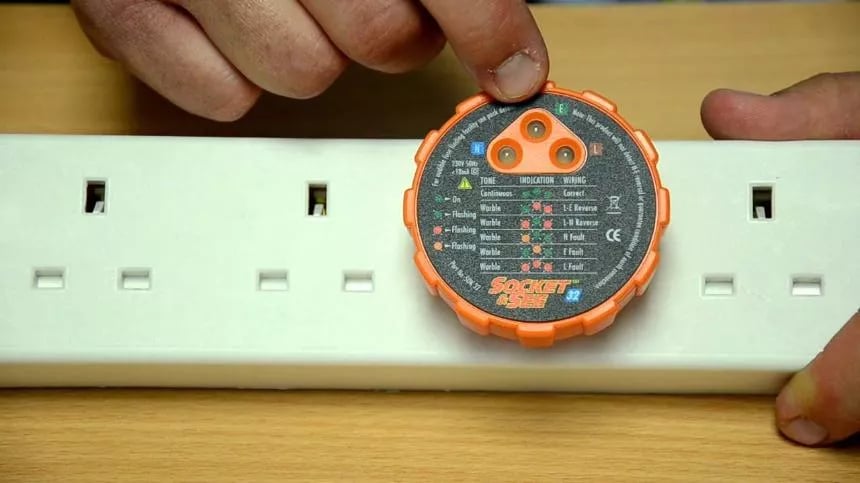
Do not plug your laptop into a faulty power socket. Get it fixed by an electrician before you plug it into it. Here at the Laptop Service Senter Malad, we have a gadget that checks if your wall socket is faulty or not.
Earthing Faulty
Reverse Polarity between Phase and Neutral
Neutral Faulty
Live Faulty or loose connection